How To Add Recycle Bin to “My Computer”
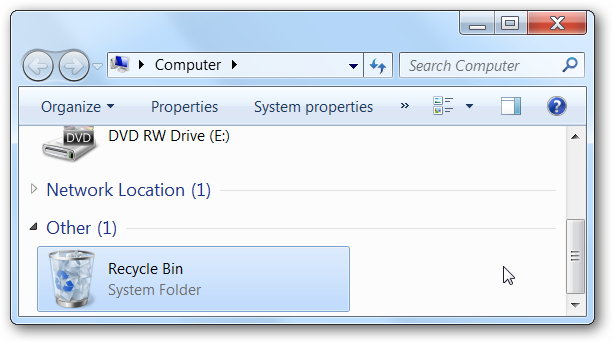
Have you ever wanted to add the Recycle Bin to your My Computer screen? Yeah, it’s probably not the most common request, but here’s how to do it anyway with a simple registry hack.

Manual Registry Tweak to Add Recycle Bin
Open up regedit.exe through the start menu search or run box, and then browse down to the following key:
HKEY_LOCAL_MACHINE\SOFTWARE\Microsoft\Windows\
CurrentVersion\Explorer\MyComputer\NameSpace
CurrentVersion\Explorer\MyComputer\NameSpace
Now that you’re there, you’ll need to right-click and create a new key…
Name the key with the following text:
{645FF040-5081-101B-9F08-00AA002F954E}
Now you should be able to hit F5 on your My Computer screen, or close it and re-open.
No comments: